By Surbhi Bhatia, Content Coordinator, MapleLMS. Surbhi covers Salesforce, learning technology, and enterprise training strategy for organisations across life sciences, CPG, and professional associations.
A Salesforce-native Learning Management System (LMS) is a software platform for creating, delivering, tracking, and reporting on training across an organisation. It runs entirely within Salesforce infrastructure so certifications and completions live on the same records as pipeline data, with no second login and no sync connector to maintain.
If your organisation runs on Salesforce, you have probably asked whether Salesforce itself can handle training. The short answer: it cannot natively, but it is built to host a platform that does. That distinction matters more than most buyers expect. It affects whether reps open training at all, whether managers see readiness data where they work, and whether your admin team governs one system or two.
This article explains what Salesforce-native really means, what sales managers gain when training data sits inside the CRM, and when a Salesforce LMS is the right call.
Key Takeaways
Salesforce does not ship a built-in LMS. Companies add one from Salesforce AgentExchange.
A Salesforce-native LMS runs on Salesforce infrastructure with no external database and no sync connector, so learning data is always current on the CRM record.
Removing the second login is the single biggest adoption driver. MapleLMS internal data (2024-2025, on file with client) shows 86% adoption at CMAX and 96% at Casa Pharma Rx after deploying Salesforce-connected training.
When training data sits natively in Salesforce, reporting turnaround can move from 2-3 days to real-time and completion rates can rise from 68% to 91% (MapleLMS internal data, 2024-2025, on file with client).
A Salesforce-native LMS is not the right fit for teams that need training embedded inside a quality management system.
Can You Use Salesforce as a Learning Management System?
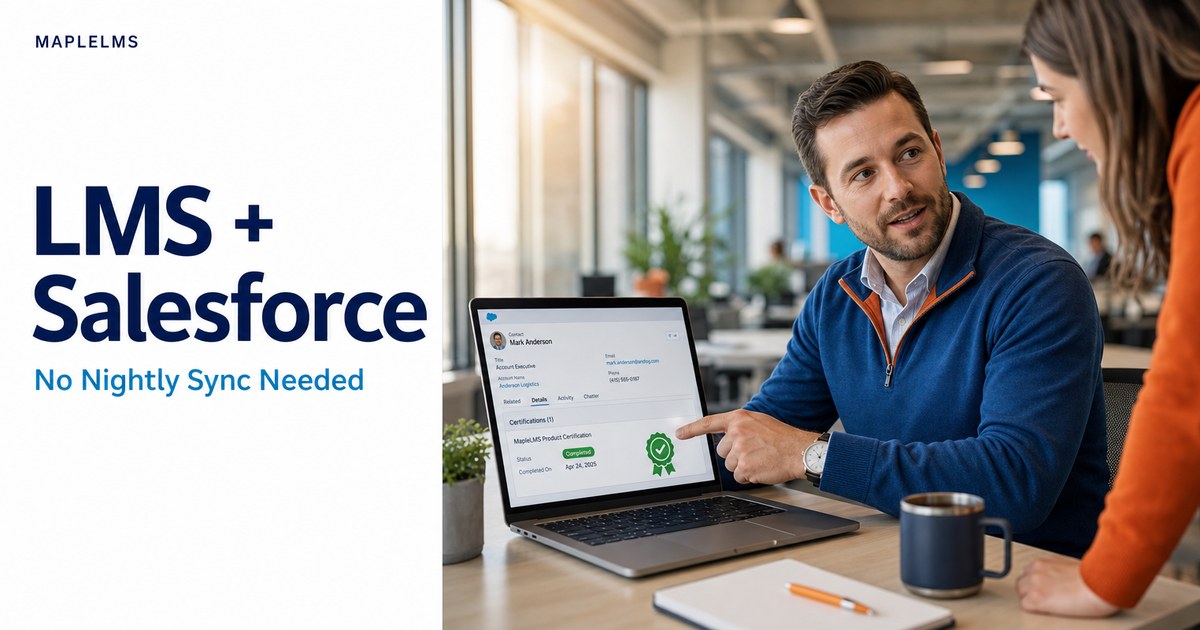
Salesforce does not include a built-in Learning Management System (LMS), but it is designed to host one natively. A Salesforce-native LMS runs within Salesforce infrastructure on standard Salesforce objects, so training records and certifications live alongside pipeline and account data. Reps log in once, managers see readiness data where they already work, and no second system needs to be maintained.
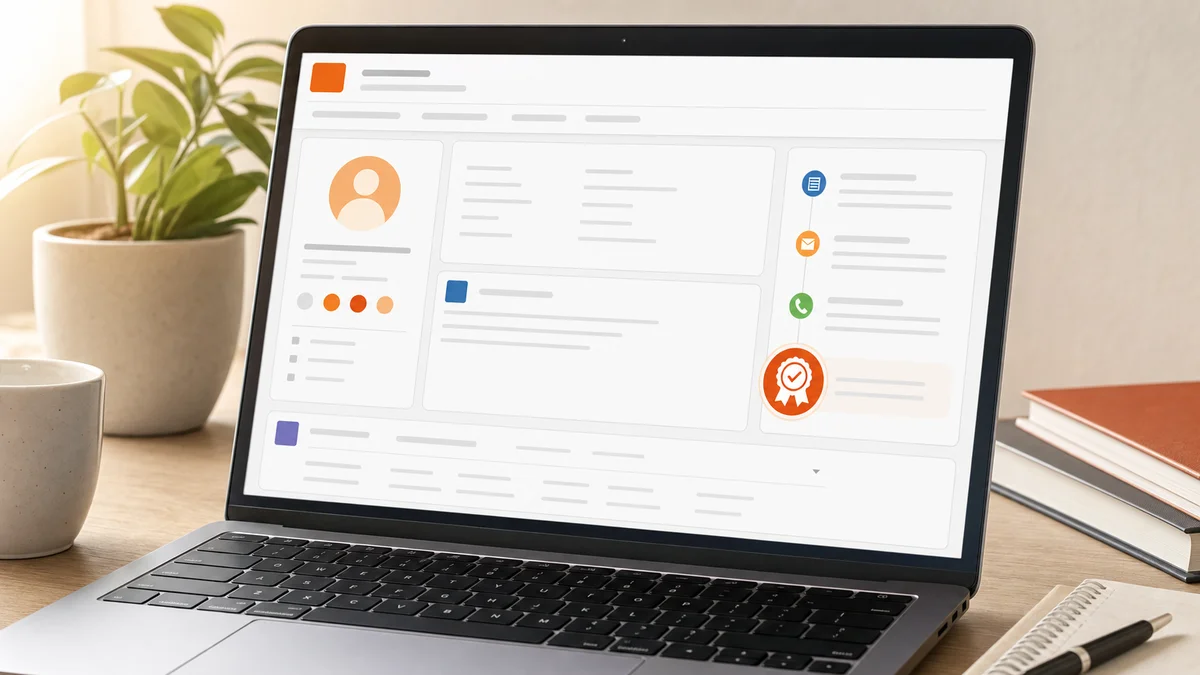
Salesforce contact record showing a training completion badge in the activity panel
Customer Relationship Management (CRM) is software that organises accounts, opportunities, contacts, and activities for commercial teams, with Salesforce being the most widely used example. What Salesforce does not do natively is manage the creation, assignment, and tracking of training programmes.
Companies that want training inside Salesforce have two routes:
Install a Salesforce-native LMS from Salesforce AgentExchange, which runs on Salesforce infrastructure and stores all learning data on standard Salesforce objects.
Connect an external LMS to Salesforce using an API or middleware integration, which keeps learning data in a separate database and pushes updates to Salesforce on a schedule.
The first option means training is a native part of the Salesforce org. The second means two systems that have to agree with each other. They often do not.
What Does 'Salesforce-Native' Actually Mean in Practice?
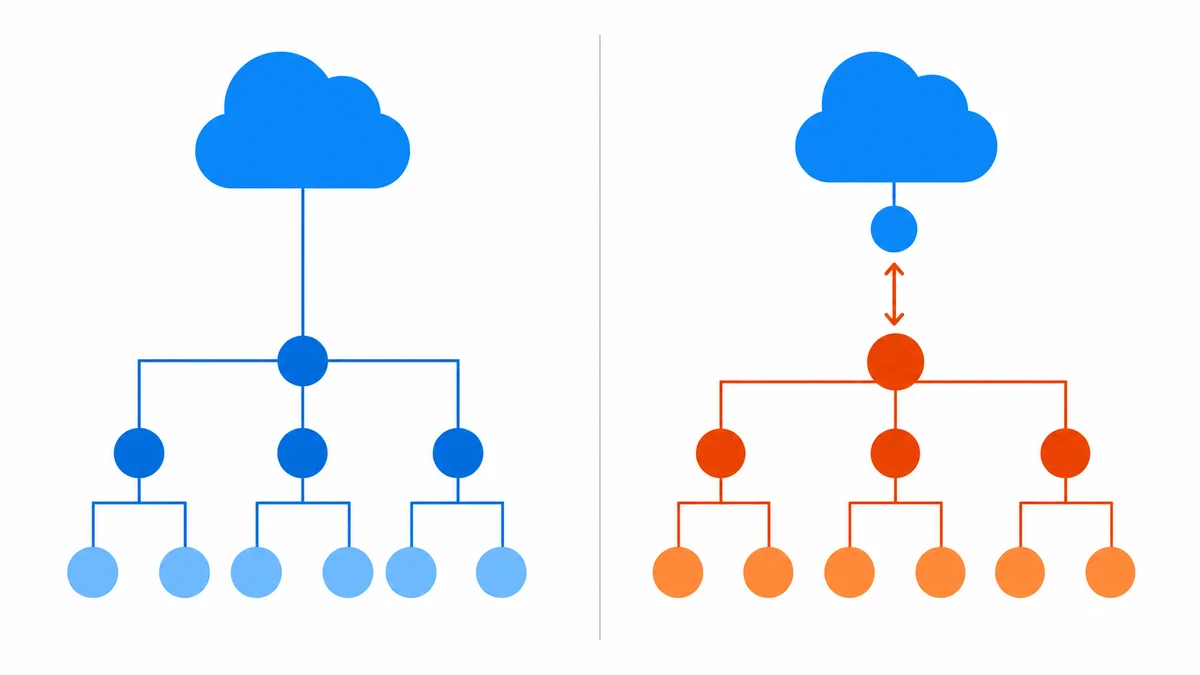
A Salesforce-native LMS is a Learning Management System that runs on Salesforce infrastructure using standard objects, permissions, and Salesforce Single Sign-On (SSO), with no external database and no sync connector. Reps get one login. Admins manage one permission model. IT runs one security review. MapleLMS holds SOC 2 Type II and ISO 27001 certifications, keeping data residency within a single, audited framework.
Architecture diagram comparing native LMS data flow versus connector-based LMS integration
Salesforce Single Sign-On (SSO) is the authentication method that lets users access Salesforce-native applications with their existing Salesforce credentials, eliminating a separate login (Salesforce Help, 2024).
SOC 2 Type II is an independent auditing standard issued by the AICPA that verifies a service organisation's security, availability, and confidentiality controls over a sustained review period, typically six to twelve months (AICPA, 2024).
MapleLMS is rated 4.8 out of 5 on G2 from 17 reviews, with 85.7% of those reviewers from mid-market organisations (retrieved October 2026).
For buyers evaluating options on Salesforce AgentExchange, the word "native" can mean different things. Three questions give a clear picture:
Where is the data stored? A genuinely native LMS stores learning records on standard Salesforce objects, not in an external database that syncs to Salesforce.
How does authentication work? Native means Salesforce SSO. Reps never create a separate username and password.
What happens when a new user is provisioned in Salesforce? In a native system, provisioning automatically triggers the right training assignments. In a connected system, that trigger requires a custom integration to fire.
What native means for reps
A rep who uses Salesforce daily does not want to open a second application for a certification. When the LMS is native, training assignments appear inside the Salesforce experience they already have. Completions and certifications update on their Salesforce record in real time. Nothing new to log into.
What native means for admins
Salesforce administrators manage users, roles, and permissions inside the org. A native LMS inherits that model. When a rep's territory or role changes in Salesforce, training assignments update automatically. There is no user list to duplicate in a separate system.
What native means for IT
A native LMS sits inside the Salesforce trust model. Data residency, access controls, and audit trails all follow existing Salesforce org governance. IT does not review a second vendor's security architecture or worry about what happens when a nightly sync fails.
Native vs. Connected: Why the Architecture Difference Matters
A native LMS stores learning data on Salesforce objects, so reports update in real time and governance follows existing Salesforce org rules. A connected LMS keeps its own external database and pushes updates on a schedule, creating gaps, duplicates, and a connector to maintain. For teams where Salesforce is the system of record, that connector adds a fragile dependency a native deployment removes entirely.
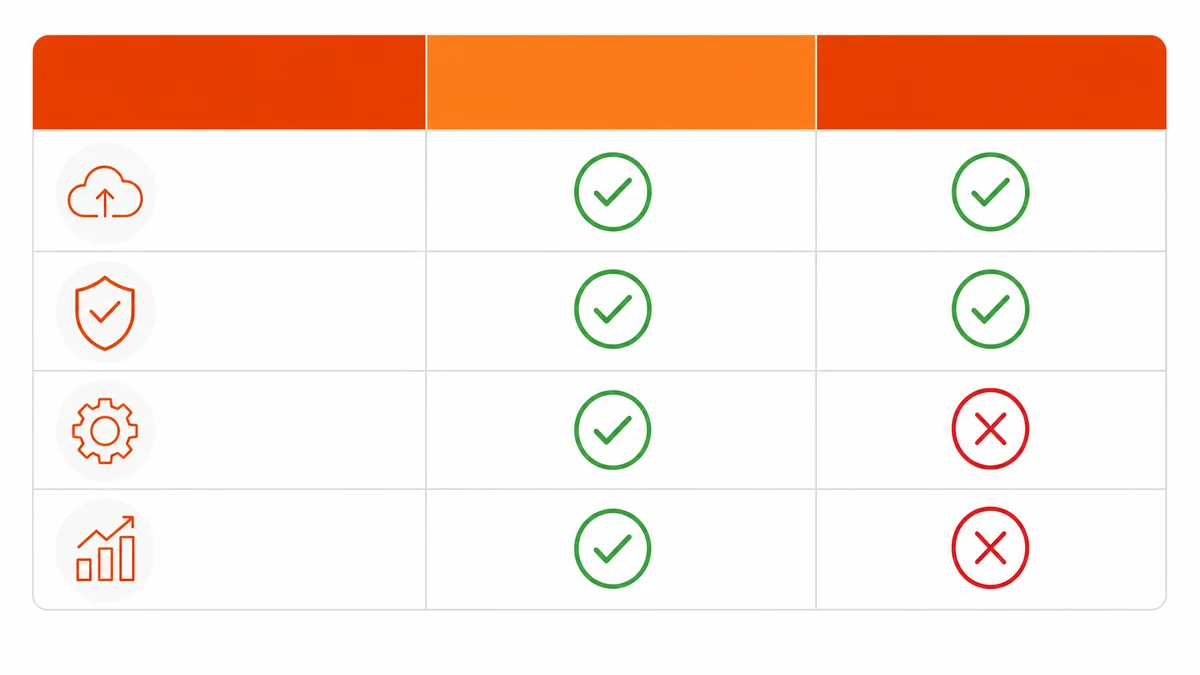
The table below makes the contrast concrete.
Capability
Salesforce-Native LMS
Connector-Based LMS
Data location
Standard Salesforce objects
External database, synced to Salesforce
Authentication
Salesforce SSO, one login
Separate credentials or SSO via middleware
Real-time reporting
Yes, on any Salesforce report
No, depends on sync interval
User provisioning
Auto-triggered by Salesforce provisioning
Requires separate trigger or manual step
IT security review scope
One system (Salesforce org)
Two systems (Salesforce + LMS vendor)
Connector maintenance
None
Ongoing, especially after Salesforce updates
Data governance
Salesforce role hierarchy
Custom access model in LMS
Sales manager reviewing a Salesforce dashboard combining pipeline data and team certification status
The practical risk with a connected LMS is disagreement between systems. A rep's completion may show in the LMS but not yet in Salesforce. The manager's dashboard and the LMS report say different things. That disagreement destroys confidence in the data and pushes managers back to manual verification.
What Do Sales Managers Gain When LMS Data Sits Inside Salesforce?
When a Salesforce LMS stores training data natively, sales managers see certification status and overdue alerts on the same dashboard as pipeline data, with no manual export. MapleLMS internal data (2024-2025, on file with client) from a migration of 150,000+ learners shows reporting turnaround moving from 2-3 days to real-time, and training completion rising from 68% to 91% (MapleLMS Cornerstone Migration Case Study, 2024-2025).
Our data: In a 2024-2025 migration of 150,000+ learners across North America, Europe, and APAC: training completion rose from 68% to 91%, learner engagement increased by 42%, LMS administration effort fell by 35%, and compliance tracking time dropped from 5 days to under 1 day. Reporting moved from a 2-3 day turnaround to real-time. (MapleLMS Cornerstone Migration Case Study, internal data, on file with client)
The business case for connected training data breaks into three areas.
Launch readiness
A new product launch means the manager needs to know which reps are certified before they face a buyer. With a native LMS, that answer is a standard Salesforce report: certification by rep, by territory, by product. With a connected LMS, the answer lives in the LMS and must be exported, reconciled, and shared, often after launch has already started.
Performance correlation
Training data next to pipeline data lets a manager ask whether reps who completed a specific certification close at a higher rate the following quarter. That analysis needs no export when both datasets sit in the same Salesforce org. When they do not, it requires significant manual work.
Certification and renewal tracking
Certifications expire. A native LMS surfaces expiring certifications as Salesforce alerts, visible to the manager alongside territory performance. MapleLMS internal data (2024-2025, on file with client) from the same 150,000-learner migration shows certification visibility moving from limited to centralised, with automated expiration notifications replacing manual tracking cycles (MapleLMS Cornerstone Migration Case Study, 2024-2025).
What Happens to Adoption When Training Moves Inside Salesforce?
Adoption rises when a Learning Management System removes the need for a second login. MapleLMS internal data (2024-2025, on file with client) shows user adoption of 86% at CMAX (approximately 500 internal and external learners, MapleLMS CMAX Case Study, 2024-2025) and 96% at Casa Pharma Rx (MapleLMS Casa Pharma Rx Case Study, 2024-2025) after deploying role-based, Salesforce-connected training. Both figures reflect what happens when training appears inside the system reps already use every day.
Field sales rep completing offline training on a smartphone in a hospital corridor
The adoption gap between a standalone LMS and a Salesforce-native one is not primarily about training quality. It is about friction. A rep who must remember a separate URL, username, and password for a training platform will find reasons not to log in, especially in the field.
Three friction points disappear with a native deployment:
Login friction: Salesforce SSO means the training tab is one click from the account record.
Assignment friction: Training assignments are triggered by Salesforce role and territory data. The rep sees what they need for their current role, not a generic catalogue.
Mobile friction: A native LMS with offline learning means a field rep downloads training before entering a hospital or retail floor. Progress syncs to Salesforce when connectivity returns.
When training fits naturally into the rep's existing workflow, completion becomes a behaviour rather than a task.
Who Is a Salesforce-Native LMS Not Right For?
A Salesforce-native LMS is not right for teams that need training embedded inside a quality management system, where Standard Operating Procedure changes auto-trigger retraining in the same document-control environment. That job belongs to an electronic Quality Management System. Organisations needing a pre-built, validated Good Practice course library or fully managed learning services should evaluate content-library specialists instead.
Feature comparison table graphic of Salesforce-native LMS versus connector-based alternative
Electronic Quality Management System (eQMS) is software that manages document control, corrective and preventive actions, and compliance workflows in regulated industries. A Salesforce-native LMS integrates with an external eQMS but does not replace it.
Corrective and preventive actions (CAPA) is the regulated-industry process for identifying, investigating, and eliminating the root causes of non-conformances in quality and compliance systems.
Good Practice (GxP) is the set of regulatory guidelines governing the quality and integrity of processes in life sciences industries, including manufacturing, clinical research, and laboratory operations.
Specifically, a Salesforce-native LMS is likely not the best choice for:
eQMS-integrated training: If SOP release must automatically trigger retraining inside the same system as document control and CAPA workflows, that is a job for an eQMS-native training component.
Pre-validated GxP content libraries: Organisations whose primary need is a large library of pre-built, vendor-validated regulatory training programmes should evaluate content-library specialists.
On-premise deployments: MapleLMS is a SaaS product. On-premise LMS deployments are not a supported model.
VR/AR training programmes: Immersive reality training is a specialist capability outside the scope of a Salesforce-native LMS.
If your team reconciles training completion from a separate LMS into Salesforce by hand, a Salesforce-native LMS addresses that directly. If your core need is document control or pre-built content depth, it does not.
Frequently Asked Questions
Does Salesforce have its own LMS, or do companies add one from AppExchange?
Salesforce does not ship a built-in Learning Management System. Companies add one from Salesforce AgentExchange. A Salesforce-native LMS like MapleLMS runs entirely within Salesforce infrastructure using standard Salesforce objects and permissions, so training data, certifications, and completions sit on the same records as pipeline and activity data, with no separate system to log into.
Are salespeople more likely to use an LMS that lives inside Salesforce than a separate one?
Yes. When a Learning Management System lives inside Salesforce, reps authenticate with their existing Salesforce Single Sign-On credentials and access training from the same screen where they manage accounts and opportunities. Removing the second login removes the single biggest friction point. MapleLMS's own data (2024-2025, on file with client) shows user adoption reaching 86% at CMAX and 96% at Casa Pharma Rx after deploying Salesforce-connected training.
We are a Salesforce-first company. What does 'Salesforce-Native' actually mean for our admins and reps?
Salesforce-native means the Learning Management System runs inside Salesforce infrastructure on standard Salesforce objects and permissions, with no external database and no sync connector to maintain. For reps, it means one login and training assignments that appear automatically when they are provisioned in Salesforce. For admins, learning data follows existing Salesforce role hierarchies and security rules, so there is no second system to govern.
Conclusion
A Salesforce-native Learning Management System runs inside Salesforce, not alongside it. For Salesforce-first organisations, that distinction produces real outcomes. Training completion rises when reps skip the second login. Managers see certification and pipeline data on one dashboard. Reporting that once took days becomes immediate.
The architecture choice carries long-term weight too. A connector-based approach adds a dependency to maintain, a potential source of data disagreement, and a second security boundary for IT to govern. A native deployment removes all three. MapleLMS internal data (2024-2025, on file with client) from a 150,000-learner migration shows the shift clearly: completion from 68% to 91%, compliance tracking from 5 days to under 1 day, and administration effort down 35%.
If your team still reconciles training completion from a separate LMS into Salesforce by hand, a Salesforce-native LMS is the most direct fix available.
Book a Demo with MapleLMS to see how training data, certifications, and completions would sit inside your existing Salesforce environment.